Skip to content

How to Prepare an Occupied Home for a 3D Tour

Nishant Thapar · · Updated · 7 min read
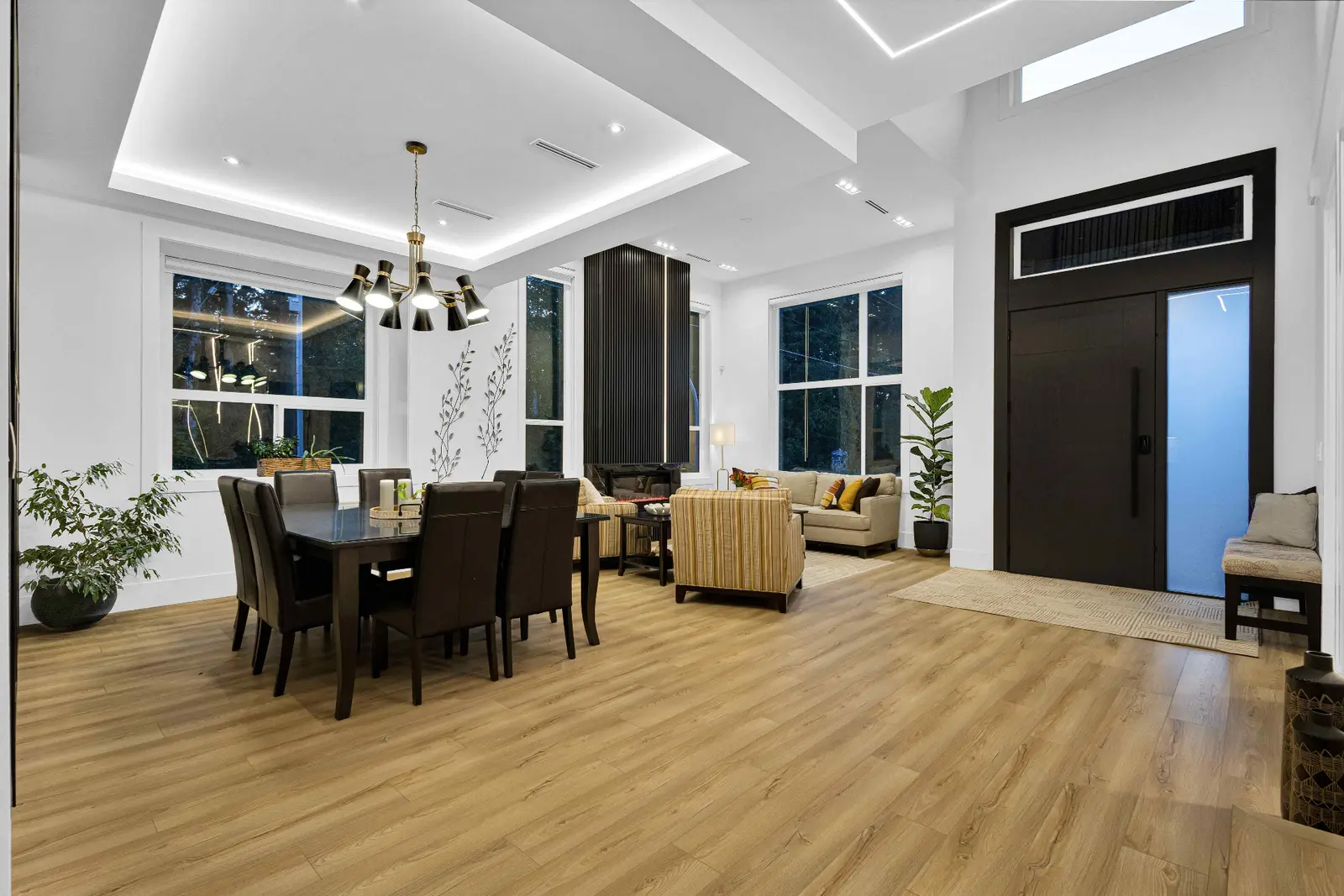
Bright open-concept living and dining area in a Lower Mainland home staged cleanly for a 3D virtual tour

Preparing an occupied home for a 3D tour requires clearing sightlines in every direction, safeguarding personal identity details, and removing all pets and temporary clutter from view. Unlike traditional real estate photography where items can be hidden behind the lens, 3D scanning captures full 360-degree panoramic views of every connected space. Following a methodical preparation process ensures your property looks spacious, polished, and secure online.

Why 3D Tours Require a Different Preparation Strategy

Traditional real estate photography allows a photographer to compose specific angles, framing out laundry baskets, pet dishes, or cluttered corners by shifting the camera position. In contrast, 3D capture systems such as Matterport record complete spherical data points throughout a property to generate interactive digital twins and floor plans. Every angle, ceiling fixture, hallway corner, and area under furniture becomes visible to prospective buyers navigating the tour.

For sellers living in their homes across Surrey, Langley, Vancouver, and the broader Lower Mainland, this comprehensive capture means preparation must be thorough. A misplaced pile of mail or an open closet door cannot simply be cropped out later. Staging an occupied home for an immersive scan involves addressing privacy, traffic flow, spatial depth, and consistent lighting across every room.

Taking the time to complete proper 3d tour preparation before the technician arrives prevents scanning delays, eliminates visual glitches caused by moving objects, and ensures prospective buyers focus entirely on the architectural strengths and layout of your property.

Protecting Personal Privacy and Sensitive Information

Because Immersive 3D Walkthroughs allow viewers to zoom into high-resolution details and explore rooms at their own pace, privacy protection is a critical step in your occupied home scan routine. Guidance from the Office of the Privacy Commissioner of Canada highlights the importance of safeguarding personal information in digital environments, and property marketing materials are accessible to the public online.

Before the scan begins, walk through each room and store the following items out of sight:

  • Financial and Legal Documents: Bank statements, utility bills, tax notices, pay stubs, and closing documents left on desks, counter tops, or home office organizers.
  • Personal Identification and Mail: Passports, driver's licences, envelopes showing recipient names and addresses, and prescription medication bottles.
  • Family Photographs and Diplomas: Distinctive family portrait galleries, children's school photos, diplomas, professional licences, and certificates displaying full legal names.
  • Schedules and Calendars: Wall calendars, dry-erase whiteboards, and chore charts that reveal family routines, vacation schedules, or children's extracurricular activities.
  • High-Value Collectibles: Portable electronics, high-end jewellery cases, exposed safes, firearm storage units, and visible spare keys.

Storing these items in drawers, opaque storage bins, or closed closets that will not be scanned preserves your household privacy while presenting a clean, neutral canvas for prospective buyers.

Managing Pets, Odours, and Animal Accessories

Pets are cherished family members, but their presence during a 3D scan creates significant visual and technical challenges. 3D cameras rotate slowly while taking multiple exposures at each scanning node. If a cat or dog walks across a room while the scan is running, it generates digital artifacts, blurred shapes, or duplicate animal figures across the 3D model.

For a seamless tour day, plan ahead for complete pet management:

  • Arrange Off-Site Care: Schedule a dog-walking service, visit a family member, or book a day at a local pet daycare in your community for the duration of the appointment.
  • Secure Containment: If pets must remain on the property, keep them safely contained in a garage, utility room, or outdoor area that will not be included in the primary interior scan. Inform your media technician in advance.
  • Pack Away Pet Accessories: Remove pet beds, crates, food and water bowls, scratching posts, toys, and indoor training pads. These items distract from room dimensions and floor finishes.
  • Address Litter Boxes and Odours: Thoroughly clean and hide litter boxes, vacuum pet hair from rugs and upholstery, and air out the home before the shoot. Strong odours can linger in the mind of in-person visitors who preview the home after seeing the virtual model.

Room-by-Room Occupied Home Scan Checklist

Use this comprehensive tour day checklist to systematically stage each area of your occupied home. For an even broader overview of general listing photography standards, review our home prep guide before scan day.

1. Exterior Entryway and Foyer

  • Sweep the front porch, walkway, and entryway threshold.
  • Put away all seasonal footwear, umbrellas, and backpacks into closed storage.
  • Hang coats neatly inside closets or temporarily store heavy outerwear off-site.
  • Ensure the front entry door can open fully without obstruction.

2. Kitchen and Dining Areas

  • Clear all counter tops of small appliances, cutting boards, dish soaps, sponges, and drying racks.
  • Remove every magnet, note, coupon, and photo from the refrigerator exterior.
  • Empty the sink completely and polish the faucet fixtures.
  • Hide trash cans, recycling bins, and compost containers in cabinets or the pantry.
  • Align dining chairs neatly and centre simple, neutral decor on the dining table.

3. Living and Family Rooms

  • Conceal entertainment wiring, power bars, and gaming accessories.
  • Turn off television screens and computer monitors to avoid distracting reflections.
  • Fluff and arrange accent pillows; fold or remove everyday throw blankets.
  • Clear coffee tables and side tables of remote controls, magazines, and coasters.
  • Ensure walking pathways between seating areas and doorways are wide and clear.

4. Primary and Secondary Bedrooms

  • Make all beds with smooth, unwrinkled bedding and neatly positioned pillows.
  • Clear bedside tables down to a single lamp and a small decorative accent.
  • Put away all clothing, shoes, laundry hampers, and exercise gear.
  • In children's rooms, pack loose toys into lidded storage bins or under-bed drawers.

5. Bathrooms and Ensuites

  • Clear vanity counters completely of toothbrushes, soaps, cosmetics, and styling tools.
  • Remove shampoo and body wash bottles from showers and bathtub ledges.
  • Hang fresh, matching hand towels folded neatly on towel racks.
  • Close all toilet lids and empty personal wastebaskets.
  • Remove floor mats and non-slip bath rugs to reveal maximum floor space.

6. Home Office and Flex Spaces

  • Tidy all desk surfaces, organize stationery into drawers, and stow loose charging cables.
  • Shred or store confidential business records and sensitive client files.
  • Tuck office chairs neatly beneath desks to preserve scanning pathways.

Staging and Sightline Considerations for 360-Degree Capture

Because virtual tours allow buyers to look up at ceilings and down at flooring, lighting and door positioning play a major role in how cohesive the final scan appears. Proper matterport prep requires consistent visual cues from room to room.

Lighting Strategy

Turn on every interior light fixture throughout the property prior to the technician's arrival. This includes overhead lights, recessed pot lights, under-cabinet illumination, range hood lights, and bedside lamps. Replace any burned-out bulbs beforehand, ensuring that colour temperatures (warm white versus cool daylight) match within individual rooms. Open all window blinds, shutters, and drapes uniformly to draw in natural daylight and showcase exterior views.

Door Positioning

Decide in advance which doors should remain open or closed during the scan. As a rule, interior doors leading to key living spaces, primary suites, and finished basements should be left wide open. Closets, utility rooms, crawl spaces, and unfinished storage areas should generally remain closed unless they offer a specific selling feature, such as a custom walk-in closet system. Once the scan begins, door positions must remain fixed; opening or closing a door halfway through will disrupt the spatial alignment of the 3D model.

Where to Stash Items You Cannot Hide

When living in an occupied property, having zero personal belongings is impossible. The most effective strategy is designating an unfinished utility room, storage closet, or garage space as the temporary holding area for storage bins, laundry baskets, and pet supplies. Inform your technician that this specific space will be bypassed during the interior virtual tour scan.

Final Walkthrough: The 15-Minute Tour Day Checklist

Fifteen minutes before your scheduled appointment, complete one last rapid sweep of the home:

  • Check Floors: Confirm that all throw rugs, pet dishes, and stray cables are put away.
  • Check Mirrors: Verify that mirrors in entryways and bathrooms reflect tidy spaces rather than clutter hidden behind nearby doors.
  • Adjust Temperatures: Set the thermostat to a comfortable temperature so the technician can work efficiently without opening exterior doors during the session.
  • Turn On All Lights: Double-check that every lamp, sconce, and recessed light is illuminated.
  • Plan Your Exit: Ensure that all human occupants and pets are prepared to vacate the property during the scanning process.

Booking Your Virtual Tour and Media Package

A well-prepared occupied home allows media professionals to capture clean, accurate, and compelling digital twins that attract serious buyers. Whether you are listing a modern condo in downtown Vancouver, a family townhome in Surrey, or an expansive detached residence in Langley, pairing high-resolution 3D tours with floor plans and professional photography elevates your online presence.

Explore our full range of services at virtual tours to see how interactive walkthroughs fit into a complete listing strategy. For details on service tiers and package options, visit our pricing page, or get in touch through our contact page to discuss your upcoming listing. When you are ready to schedule your media session, book your appointment directly online.

Explore our photography service and local media coverage, or request an itemized quote.

Frequently Asked Questions

  • Can I stay in the house while the 3D virtual tour is being scanned?It is best for occupants to vacate the home during the scan. Because the 3D camera captures complete 360-degree views at multiple locations in every room, anyone moving through the property will appear in the capture or cause alignment errors, requiring sections to be re-scanned.
  • Should closet doors be left open or closed for a 3D tour?Standard reach-in closets, utility closets, and laundry cupboards should generally remain closed. Large walk-in closets with built-in organizers or significant architectural appeal can be scanned, provided clothing is neatly organized, hampers are removed, and floor space is completely clear.
  • How long does a 3D tour scan take for an occupied home?Scanning time depends on total square footage, layout complexity, and preparation level. A thoroughly prepared 2,000-square-foot home typically takes between 60 and 90 minutes. Adequate preparation beforehand ensures the technician can move efficiently from node to node without stopping to shift personal items.
  • Will the 3D camera show what is inside my drawers and cabinets?No. The 3D camera only captures visible exterior surfaces within the room. Drawers, medicine cabinets, and closed cupboards will not be scanned unless specifically requested and opened beforehand by the seller or listing agent.

#3d tours #home preparation #matterport #real estate marketing #seller tips

Rated 5.0 stars from 11 Google reviews — read our Google reviews.

Ready to book your next listing?

Real estate photography, video, drone, floor plans and 3D tours across the Lower Mainland — listing photos delivered within 24 hours of the completed shoot; other delivery confirmed when you book.