
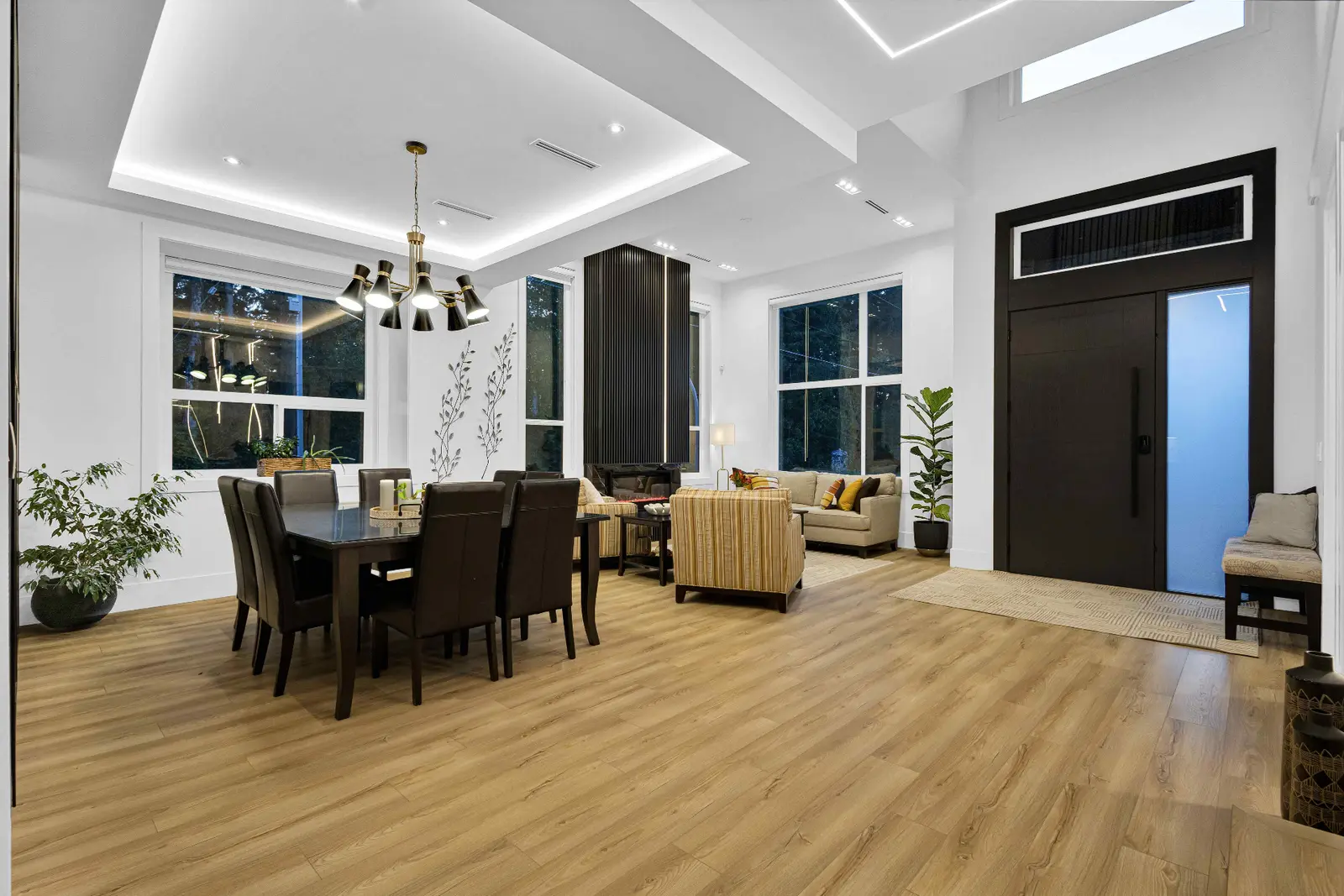
Virtual Staging
Virtual Staging Disclosure: How to Stay Transparent With Buyers
September 22, 2026 · 6 min read
Virtual Staging
AI editing tools have quietly moved from novelty to standard workflow. In a single afternoon a listing photo can be brightened, decluttered, and virtually staged. That power comes with a real question every BC realtor should be asking: where does a helpful edit end and a misleading one begin? This guide walks through what is safe to edit, what is risky, and how to keep buyer trust intact from Surrey to White Rock.
Not every edit is created equal. A useful mental model is to split listing-photo work into four buckets, ordered from least to most transformative:
The first three, done transparently, are commonly used in listing marketing when disclosed appropriately. The fourth is where disclosure obligations and the risk of misrepresentation start to bite.
| Edit | Category | Generally safe? |
|---|---|---|
| HDR blending, exposure, colour correction | Technical | Yes |
| Straightening verticals, correcting lens distortion | Technical | Yes |
| Sky replacement on exterior shots | Technical / cosmetic | Conditional — subtle, realistic edits only; disclose and confirm with your board/brokerage when the change materially alters weather, view, or property context |
| Removing bins, cars, hoses, leashes, personal photos | Removable clutter | Yes |
| Removing seasonal decor (Christmas trees, patio umbrellas) | Removable clutter | Yes |
| Adding furniture to an empty room | Virtual staging | Yes, with a "Virtually Staged" label |
| Digitally emptying a furnished room | Virtual decluttering | Usually yes, with a disclosure that the room is currently furnished |
| Painting walls a different colour digitally | Permanent feature | Only with a clear "Digitally Altered" label |
| Removing cracks, water stains, damp, mould, damage | Permanent feature | No — this is where misrepresentation risk lives |
| Editing out neighbouring buildings, power lines, or a busy road | Environmental | No |
| Changing the shape or size of rooms, windows, or the lot | Structural | No |
| Adding features that do not exist (fireplace, pool, deck) | Structural | No |
The safest test is simple: if a buyer walked through the property expecting what the photo shows, would they feel the photo told them the truth? If the answer is anything other than a confident yes, the edit needs to go — or the listing needs a clear disclosure.
Well-executed virtual staging is one of the highest-impact upgrades for a vacant listing. Empty rooms photograph small, cold, and hard to read. Staged rooms photograph warm, scaled, and buyer-friendly. On vacant condos and townhomes in Surrey, Langley, and Vancouver, staged photos help buyers understand scale, layout, and how the space could actually be lived in.
The line that keeps virtual staging honest is transparency:
Virtual decluttering — using AI to digitally remove furniture, personal effects, or entire pieces of decor from an occupied home — is where most of the current confusion sits. It is genuinely useful when a seller cannot physically clear the space before a shoot, or when a tenanted property makes traditional prep impossible.
The safer way to use it:
British Columbia's real estate practice is governed by the BC Financial Services Authority, and every board and brokerage sets its own rules on top of that framework. This article is not legal advice, but three principles commonly guide how BC agents approach edited listing photos:
Buyers generally expect that photos have been colour-corrected and, on vacant homes, virtually staged when clearly labelled. What creates friction — and complaints — is arriving at a listing that does not match the photos in a material way.
Across Surrey, Langley, Delta, White Rock, and Vancouver, the listings that consistently perform combine strong physical prep with tasteful, transparent digital work. A tenanted rental in Surrey may benefit from careful decluttering. A vacant presale condo in Vancouver almost always benefits from virtual staging. A ten-year-old detached home in Langley will usually need nothing more than good photography and honest colour work. The tool should match the property, not the other way around.
Ready Set Sold Media handles real estate photography, virtual staging, and virtual decluttering across the Lower Mainland with a workflow built around honest marketing. Explore packages, learn more about virtual staging, or book a shoot for your next listing.
Explore our photography service and local media coverage, or request an itemized quote.
Virtual staging is widely used across BC listings, provided the altered images are clearly labelled — typically with a 'Virtually Staged' caption or watermark — and the original photos are available. Confirm your specific board and brokerage rules before publishing.
Yes, for movable, removable items (bins, cars, personal effects, seasonal decor). It becomes risky when it is used to hide damage, stains, or permanent features. Disclose in the listing when a photo has been digitally decluttered.
Permanent or material features: cracks, water damage, mould, structural issues, neighbouring buildings, power lines, busy roads, and anything that changes the shape or size of the home. Editing these out crosses into misrepresentation.
As a matter of professional practice in BC, yes. A visible 'Virtually Staged' label on the image or a clear note in the listing remarks protects the seller, the buyer, and the agent. Some brokerages require it in writing.
Virtual staging adds furniture and decor to an empty room. Virtual decluttering digitally removes items from a currently furnished space. Staging is well-established in the industry; decluttering is newer and generally deserves a disclosure.
Yes. We provide virtual staging across the Lower Mainland including Surrey, Langley, Delta, White Rock, and Vancouver. See our virtual staging service page for pricing and turnaround.
Rated 5.0 stars from 10 Google reviews — read our Google reviews.
Ready to Apply This?
Real estate photography, video, drone, floor plans and 3D tours across the Lower Mainland — listing photos delivered within 12 hours of the completed shoot; other delivery confirmed when you book.
Keep Reading
Virtual Staging
September 22, 2026 · 6 min read
Virtual Staging
October 24, 2026 · 4 min read
Business & Compliance
July 31, 2026 · 9 min read