
Marketing · October 16, 2026 · 6 min read
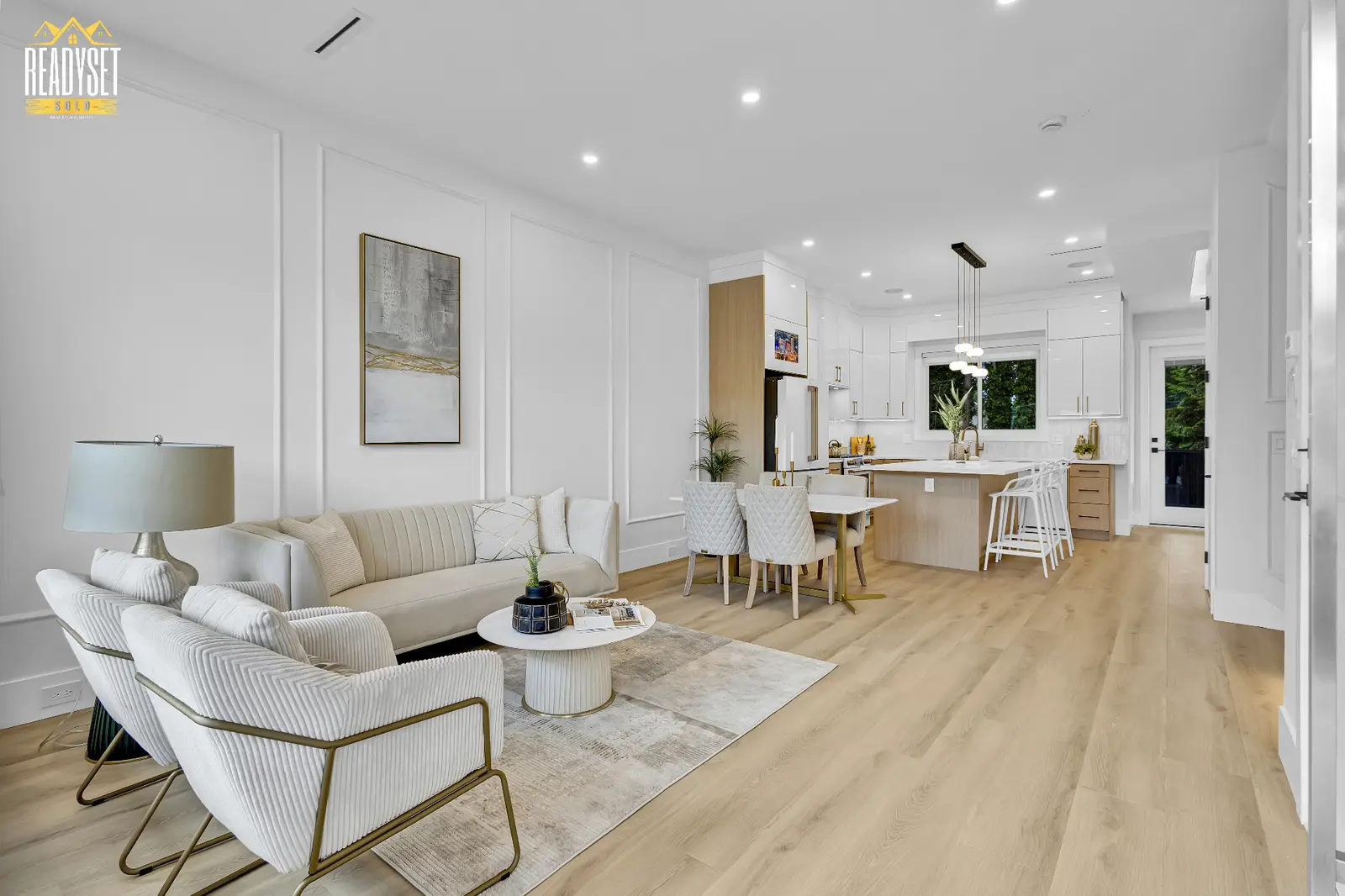
A virtual staging disclosure is a clear, prominent statement informing prospective buyers that specific listing photos have been digitally enhanced with furniture, decor, or cosmetic updates. In British Columbia, providing transparent notice on every edited image protects your professional reputation, aligns with provincial advertising guidelines, and sets accurate expectations before buyers tour a property in person.
Virtual staging has become a standard marketing tool across the Lower Mainland and Fraser Valley. It allows agents to demonstrate room scale, suggest furniture layouts, and help buyers visualize the potential of vacant or dated properties in Surrey, Langley, and Vancouver. However, digital edits must never cross the line into misrepresentation.
Real estate advertising in the province is subject to regulatory oversight. The BC Financial Services Authority (BCFSA) sets professional standards and advertising guidelines designed to ensure that the public receives honest, accurate information about real estate listings. When prospective buyers review edited listing photos, they must immediately understand what is physically present in the home and what has been digitally rendered. Failing to disclose modifications can lead to consumer complaints, wasted showings, and potential disciplinary review from regulatory bodies or local real estate boards.
Beyond compliance, transparency builds trust. When buyers attend an open house expecting fully furnished rooms or renovated finishes, encountering an empty or outdated space without prior warning creates immediate disappointment. Clear disclosure reframes digital staging as a helpful visualization aid rather than a deceptive tactic.
Staging ethics hinge on the difference between rendering movable decor and altering permanent structural features. Understanding these boundaries ensures your visual marketing remains compliant and honest.
Professional virtual staging should focus on elements that a homeowner or professional stager could physically place inside the property. Permissible additions include:
Altering physical defects or permanent elements of the property misleads buyers about the condition and value of the listing. Real estate professionals must avoid digital edits that:
For agents looking to present properties cleanly while respecting physical reality, reviewing our home prep guide before scheduling photography can eliminate the need to digitally remove clutter or cosmetic flaws.
Disclosure should never be hidden in fine print. Clear, concise wording placed directly on the image and within property descriptions ensures that all viewers—whether browsing an MLS portal, scrolling social media, or reviewing a print feature sheet—understand the nature of the media.
Every virtually staged photo should carry a visible, legible text overlay. Place the watermark in a corner where it does not obscure key architectural features, but remains immediately noticeable on desktop and mobile screens.
Include a direct disclosure sentence in your listing description. Position it near the top or bottom of the public remarks section so cooperating agents and buyers see it before scheduling a viewing.
Social media feeds present images without the structured data fields of an MLS database. Include disclosure in the visual asset as well as the caption text.
On print marketing materials, include a caption directly beneath or alongside each edited image. Using smaller font at the base of the photo box—such as *Virtually staged to show scale—ensures open-house visitors can distinguish physical reality from digital staging.
Maintaining transparency does not mean sacrificing visual appeal. Employing the right presentation techniques enhances transparency while still inspiring prospective buyers.
The most transparent and effective way to present virtual staging is side-by-side or sequential presentation. In your MLS photo sequence, place the unedited photo of the empty room immediately after the virtually staged version. This allows buyers to assess the genuine condition of the flooring, baseboards, and walls, while still benefiting from the visual context provided by the staged render.
Unrealistic staging can mislead buyers regarding the true dimensions of a room. Oversized beds placed in compact bedrooms or miniature dining sets placed in narrow dining areas give a false impression of square footage. Professional services, such as our virtual staging team, use calibrated camera metadata and 3D modeling tools to ensure furniture matches the true scale and lighting of the space.
Local real estate boards across British Columbia and the Fraser Valley may have specific rules regarding image watermarking, allowable contrast ratios, and disclosure fields in listing software. Always review your brokerage policies and board rules before uploading edited media.
Before launching a listing containing digitally enhanced imagery, review this quick compliance checklist to ensure your marketing meets professional standards:
Virtual staging is a powerful, cost-effective method for showcasing vacant spaces when executed with care, accuracy, and full transparency. Ready Set Sold Media provides professional real estate photography, floor plans, and calibrated virtual staging across Surrey, White Rock, Langley, Delta, and the wider Lower Mainland.
To explore options for your upcoming listings, check our clear packages on our pricing page, browse our recent work, or reach out directly through our contact page to discuss your visual marketing strategy.
Explore our photography service and local media coverage, or request an itemized quote.
#virtual staging #real estate marketing #bc realtors #listing photography #compliance
Rated 5.0 stars from 11 Google reviews — read our Google reviews.
Real estate photography, video, drone, floor plans and 3D tours across the Lower Mainland — listing photos delivered within 24 hours of the completed shoot; other delivery confirmed when you book.
Marketing · October 16, 2026 · 6 min read
Virtual Staging · July 25, 2026 · 9 min read
Marketing · November 22, 2026 · 5 min read